Tiny Snipers Controls Guide
Bind, aim, and tune sensitivity across PC, mobile, and console before you climb Ranked.
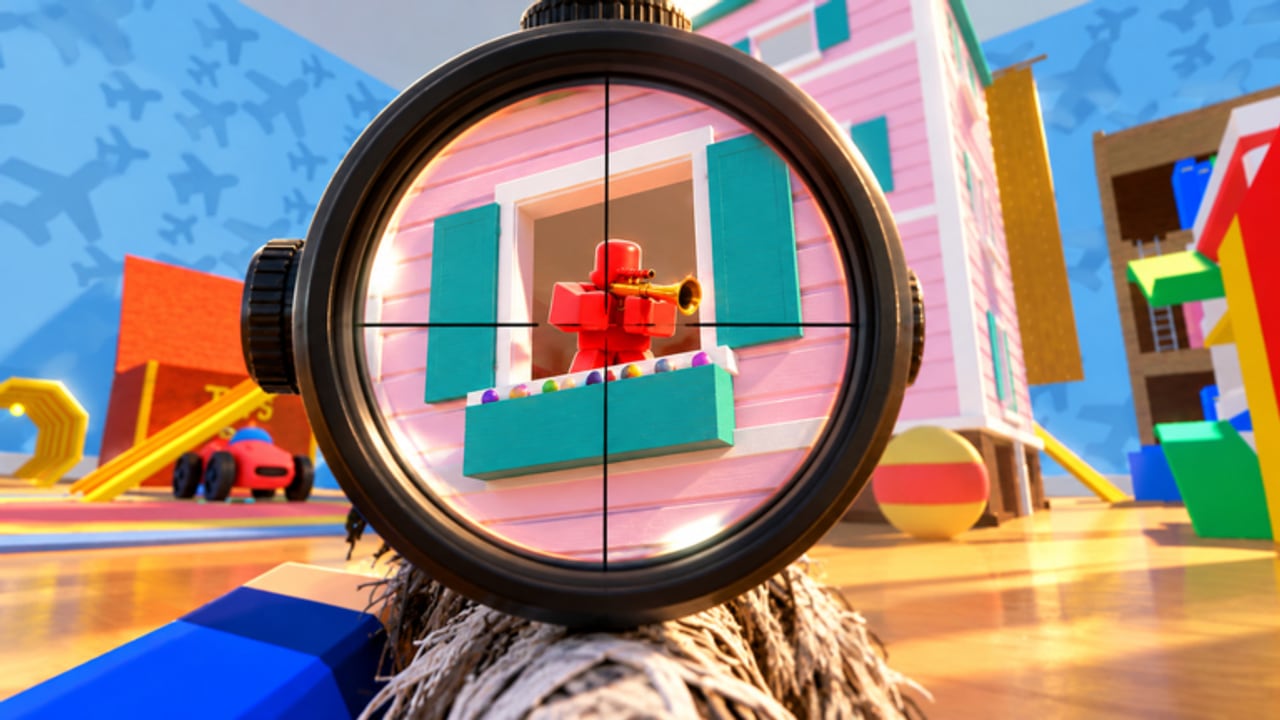
Clean inputs win Tiny Snipers fights as often as map knowledge. You play as a tiny sniper in a giant house, hunting headshots while staying ready to knife, jump-pad, and wall jump. This guide covers PC, phone, tablet, Xbox, and PlayStation control expectations, then sensitivity habits that keep crosshairs steady in six-player servers. Pair it with Getting Started if you are brand new, and with Movement once bindings feel automatic.
Universal control goals
No matter the device, train these habits:
- Move while you aim. Standing still after a miss is free revenge for the lobby.
- Separate look speed from ADS feel. Hip look can be slightly faster than scoped tracking if the game exposes both.
- Keep a dedicated path to knife swap. Close furniture fights end before a panicked menu open.
- Jump and pad inputs must be reachable without lifting your aim thumb or mouse hand entirely.
- Never remap so hard that Roblox system menus become unreachable.
Tiny Snipers rewards precision, not button mash. Slow down your look speed until head-level tracking feels boring — boring is accurate.
PC controls (keyboard and mouse)
Expect a standard Roblox shooter layout as your baseline:
- WASD — move and strafe between furniture gaps
- Mouse — look / aim; prioritize smooth tracking over raw flick speed at first
- Left click — fire sniper shots; commit to head height
- Right click — aim down sights / scope when available
- Space — jump into wall-jump chains and pad launches
- Shift — sprint or speed strafe between nests when bound
- R — reload between peeks, never mid-open sightline if you can help it
- Number keys / scroll — weapon or knife swap depending on the current build
- C / Ctrl — crouch for tighter peeks behind cushions and dollhouse walls
PC sensitivity tips. Start medium. If you overflick past heads on living-room sightlines, lower look speed 10–15% and play five FFA matches before changing again. Raise only when you consistently undershoot turning onto attic angles. Use a large enough mousepad to turn 180° without lifting. Disable acceleration in Windows if you want consistent muscle memory.
Practice a simple drill: strafe left-right on a chair arm, keep the crosshair at head height, fire only when the reticle kisses the silhouette. Then add a jump-pad landing and repeat. Controls plus Movement drills compound fast.
Mobile and tablet controls
Touch lobbies are fully supported. Layout discipline matters more than raw DPI.
- Place movement joystick left, look / fire right, with enough dead space that thumbs do not collide.
- Keep jump, crouch, and knife / weapon swap as large, edge-reachable buttons.
- Prefer fire on a dedicated button rather than look-to-fire if you miss while dragging.
- On tablets, increase button scale slightly and sit the device at a stable angle; wrist drift ruins scoped tracking.
Mobile sensitivity tips. Lower look sensitivity until you can track a strafing enemy across a sofa without oscillating. Use gyroscope only if you already have muscle memory from other shooters; otherwise master thumbs first. Play a few Gun Game rounds from the Modes tier list mindset — forced swaps teach you where your swap button must live.
Avoid covering the center of the screen with HUD clutter. Tiny silhouettes disappear behind opaque buttons. If Roblox allows HUD opacity or scale, trim until heads stay readable on dollhouse windows.
Xbox and PlayStation controls
Controller players should think in stick roles:
- Left stick — movement and pad approach angles
- Right stick — aim; this is your ranked ceiling
- RT / R2 — fire
- LT / L2 — ADS / scope
- A / Cross — jump for wall jumps and pad timing
- B / Circle or face-button equivalent — crouch or contextual actions per layout
- X / Square — reload
- Y / Triangle or d-pad — weapon / knife swap (bind swap somewhere you can hit under pressure)
Deadzones. Keep stick deadzones as low as you can without drift. Drift equals false peeks and missed headshots. If the right stick feels mushy, clean the stick module or tighten deadzone settings in Roblox / console accessibility options where available.
Aim assist awareness. Soft assist helps tracking but will not save a bad nest. Still learn to leave ADS, knife, and re-ADS instead of dragging aim through a wall forever.
Sensitivity philosophy for Tiny Snipers
Because you are tiny and targets are also tiny relative to furniture, vertical precision matters as much as horizontal flicks. Many players set horizontal comfort then forget vertical gain. If your shots land in chests when you wanted heads, reduce vertical speed slightly or train a conscious upward bias when peeking sofa tops.
Recommended tuning loop:
- Pick one sensitivity and lock it for three sessions.
- Warm up in FFA focusing only on head height.
- Play one Duel set to stress pure aim — see Ranked for why Duels transfer.
- Adjust by tiny increments only after reviewing whether misses were aim or position.
Combat input priorities mid-fight
When an enemy closes distance:
- Stop forcing a scoped body shot through a cushion.
- Swap to knife using your practiced bind — details in Knife Combat.
- Strafe unpredictably; add a jump only if it breaks their tracking without ruining yours.
- If a jump pad is adjacent, take it only when you already won space; pads are loud commitments.
During lights out, storms, or cat live events, reduce flick aggression. Low visibility plus high sensitivity equals self-inflicted misses. Hold angles from the Maps guide instead of spinning.
Accessibility and session hygiene
- Take a break if your aim hand tenses; tension raises micro-jitter.
- On mobile, wipe the screen; smudges hide tiny models.
- On console, check battery — input lag from dying controllers feels like bad netcode.
- Keep Roblox graphics high enough to see silhouettes but stable enough to avoid frame hitching during wall jumps.
Link your practice to the rest of the wiki
Controls are the foundation under every other guide on the Guides Hub. After bindings feel boringly reliable, farm Coins with friends via Coins and Cases, claim anything new on Codes, and study strong holds on Maps and Positions. Track patches on Updates in case input-adjacent changes land with a season.
Master the device you actually queue on. Switching from PC to mobile mid-climb without a sensitivity plan is how Bronze becomes a revolving door. Pick a platform, tune it, then let movement and map IQ multiply your aim.
Frequently Asked Questions
Quick answers for Tiny Snipers players.
What platforms does Tiny Snipers support?
PC, phones, tablets, Xbox, and PlayStation. Tune sensitivity separately for each device you climb on.
How do I improve sniper accuracy on mobile?
Use a dedicated fire button, lower look sensitivity until tracking is smooth, and keep HUD buttons from covering center sightlines.
Should console players lower deadzones?
Yes, as low as possible without stick drift. Drift causes false peeks and missed headshots in six-player lobbies.
When should I change sensitivity?
Only after several sessions. Adjust in small steps when you consistently overflick or undershoot head height.
What input matters most in close range?
A reliable knife-swap bind. Practice it so you never stay scoped inside furniture fights.